

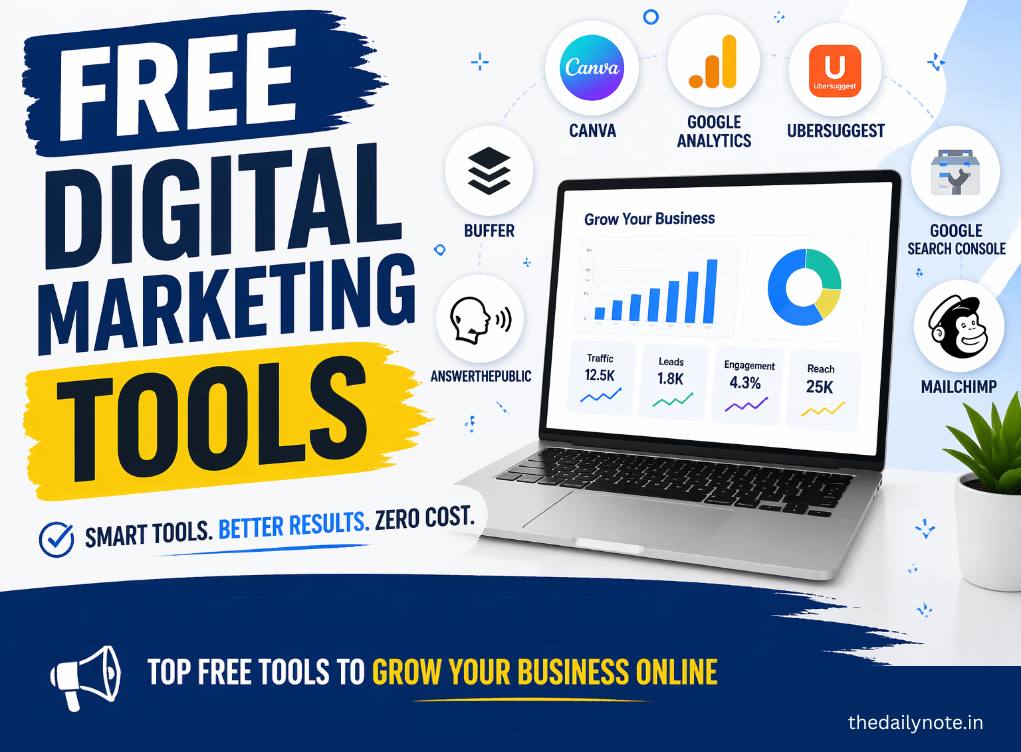
Best Free Digital Marketing Tools for Beginners in 2026
Starting your journey in digital marketing can feel like trying to drink from a firehose. Between SEO, social media, email campaigns, and analytics, the “to-do” list is endless—and the software costs can stack up faster than a viral TikTok.
The good news? In 2026, you don’t need a massive budget to build a professional-grade marketing engine. Some of the most powerful tools used by top agencies have incredible free versions.
Whether you’re a student, a small business owner, or a budding freelancer, here are the essential free digital marketing tools to help you dominate the digital space this year.
1. Content Creation & Design: Your Visual Identity
You only have about three seconds to grab someone’s attention online. High-quality visuals and snappy writing are non-negotiable.
Canva: The Non-Designer’s Best Friend
Canva remains the undisputed king of DIY design. In 2026, it’s more than just a graphic tool; it’s a full creative suite.
- Why it’s great: You get access to millions of templates for Instagram Reels, YouTube thumbnails, and LinkedIn banners.
- Pro Tip: Use the free “Magic Edit” feature to swap elements in your photos with simple text prompts.
ChatGPT & Google Gemini: Your Creative Sidekicks
AI has changed the game. ChatGPT and Google Gemini are perfect for brainstorming blog ideas, drafting social media captions, or even writing personalized email pitches.
- Key Use: Use them to create a “Content Calendar.” Ask: “Give me 10 educational post ideas for a vegan skincare brand.”
2. Search Engine Optimization (SEO): Getting Found
SEO is the art of showing up when people search for what you offer. You don’t need a $200/month subscription to start ranking.
Google Search Console: Direct from the Source
Google Search Console is a must-have. It tells you exactly which keywords people are typing to find your site and if there are any technical errors holding you back.
- Benefit: It shows you your “Average Position” on Google, helping you see which pages need a little extra love to reach the top spot.
Ubersuggest (Free Version)
While Ubersuggest has paid tiers, its free daily searches are perfect for beginners. It helps you find “Low-Hanging Fruit”—keywords that are popular but easy to rank for.
- Best Feature: The “SEO Audit” tool, which scans your website and gives you a literal checklist of things to fix.
AnswerThePublic
Ever wonder what people are actually asking? AnswerThePublic creates a visual “cloud” of real questions people type into search engines. This is gold for creating blog headers and FAQ sections.
3. Social Media Management: Work Smarter, Not Harder
Posting manually every day is the fastest way to burn out. Automation is your friend.
Buffer: The Simplest Scheduler
Buffer offers a generous free plan that lets you connect up to three social channels.
- Why beginners love it: It’s incredibly clean and easy to use. You can spend Sunday afternoon scheduling your posts for the entire week and then enjoy your free time.
Meta Business Suite
If your focus is primarily on Facebook and Instagram, the Meta Business Suite is a powerhouse. It’s 100% free and gives you deep insights into when your audience is most active.
4. Email Marketing: The Money is in the List
Social media algorithms change, but you “own” your email list. It remains one of the highest-converting marketing channels.
Mailchimp: The Industry Standard
Mailchimp is the go-to for beginners. Their free plan allows you to manage up to 500 contacts and send 1,000 emails per month.
- Top Feature: The “Drag-and-Drop” builder. You don’t need to know a single line of code to make a newsletter that looks like it was designed by a pro.
MailerLite: The Challenger
If you find Mailchimp a bit “busy,” MailerLite is a fantastic alternative. It offers advanced features like “Automation” (sending a welcome email automatically when someone signs up) on its free tier.
5. Analytics & Performance: Knowing What Works
Marketing without data is just guessing. You need to know where your visitors are coming from.
Google Analytics 4 (GA4)
Google Analytics 4 is the gold standard. It tracks everything—from how long people stay on your page to which buttons they click.
- The Learning Curve: It can be a bit intimidating at first, but mastering GA4 is a resume-building skill that will serve you for years.
Microsoft Clarity
Ever wish you could watch a recording of how someone uses your website? Microsoft Clarity does exactly that. It provides “Heatmaps” showing where people click and “Session Recordings” so you can see exactly where users get confused or leave.
6. Video Marketing: Capturing the “Short-Form” Wave
Video is no longer optional; it’s the most consumed content format in 2026. You don’t need expensive editing software to make high-impact videos.
CapCut: The Viral Video Editor
CapCut has become the gold standard for creating TikToks, Reels, and YouTube Shorts.
- Why it’s essential: It offers auto-captions (crucial since many users watch on mute), trending effects, and a massive library of royalty-free music.
- Beginner Tip: Use the “Auto-Cut” feature to instantly sync your photos and videos to the beat of a song.
Loom: For Quick Tutorials and Pitches
Loom allows you to record your screen and camera simultaneously. It’s perfect for creating quick product demos or sending personalized video messages to potential clients.
- Key Benefit: It saves time. Instead of writing a long email explaining a concept, you can record a 2-minute video that shows exactly what you mean.
7. Website Optimization: Speed and Copy
A slow website or confusing text will kill your conversion rates before you even get started.
PageSpeed Insights
PageSpeed Insights is a free tool by Google that tells you how fast your site loads on mobile and desktop.
- Why it matters: Google uses page speed as a ranking factor. If your site takes more than 3 seconds to load, you’re losing half your audience.
- Actionable Advice: The tool gives you a specific list of “opportunities”—like compressing images—to make your site faster.
Hemingway Editor: Write with Punch
Digital marketing copy needs to be bold and clear. Hemingway Editor highlights “wordy” sentences and passive voice.
- The Goal: Aim for a “Grade 6” reading level. It might sound low, but the most successful marketing copy is the easiest to read.
8. Keyword & Competitive Research: Spying (Legally)
To win, you need to know what your competitors are doing and what the world is talking about in real-time.
Google Trends
Google Trends shows you what topics are spiking in popularity right now.
- Creative Use: Use it to decide between two keywords. For example, search “AI Marketing” vs. “Digital Marketing Automation” to see which term is gaining more traction this month.
SimilarWeb (Free Extension)
The SimilarWeb browser extension gives you a “peek behind the curtain” of any website. It shows you their estimated monthly traffic and where that traffic comes from (search, social, or direct).
- Why it’s great for beginners: It helps you identify which social media platforms your competitors are most successful on, so you can focus your efforts there.
9. Productivity & Organization: Staying Sane
Marketing involves a million moving parts. If you aren’t organized, things will fall through the cracks.
Trello: Visual Project Management
Trello uses a “Kanban” board style (think digital sticky notes) to track your tasks.
- How to use it: Create columns for “Ideas,” “To-Do,” “Doing,” and “Published.” It’s incredibly satisfying to drag a card to the “Published” column.
Notion: The “All-in-One” Workspace
Notion is where you keep your brand guidelines, content pillars, and research notes. Many beginners use it as a “Second Brain” to store every tip and tutorial they find online.
10. Bonus: The “Safety Net” Tool
Grammarly: Your Professional Polish
Nothing ruins credibility faster than a typo in a professional ad or email. The free version of Grammarly catches basic spelling and grammar mistakes that standard spellcheckers often miss.
The “Beginner to Pro” Comparison Table
Category | Basic Tool (The Start) | Advanced Tool (The Growth) |
Design | Canva | Adobe Express |
Writing | ChatGPT | Claude / Jasper |
SEO | Google Search Console | Ahrefs (Free Webmaster Tools) |
Mailchimp | MailerLite | |
Organization | Trello | Notion |
Your 2026 Action Plan
Mastering digital marketing isn’t about having the most expensive tools; it’s about consistency. Here is how to start today:
- Set up your Website: Use WordPress or a free landing page builder.
- Install Analytics: Get GA4 and Search Console running so you can collect data from Day 1.
- Design 3 Posts: Head to Canva, grab a template, and customize it.
- Schedule Them: Use Buffer to set your posts live.
- Build a List: Add a sign-up form via Mailchimp to your site.
Summary of Success
You now have a list of free tools covering every corner of the digital marketing world. Remember: The tool is only as good as the person using it. Don’t get “Shiny Object Syndrome” by trying to use all of them today. Pick one from each section, set up an account, and spend 15 minutes clicking around. That small step is the difference between a dreamer and a digital marketer.
- No Comments
- April 21, 2026